QR Menus vs Menu Boards: Which Works Better?
Introduction: Two Digital Menus, Two Very Different Jobs
As restaurants move away from printed menus, two digital options dominate the conversation: QR menus and digital menu boards. Both reduce printing, support updates, and modernize service—but they solve very different problems.
Choosing between QR menu vs. menu board isn’t about which is “better” overall. It’s about which one fits your service style, space, staff capacity, and customer behavior. This digital menu board comparison breaks down how each option works, where each excels, and when combining them makes the most sense—starting with how restaurants create a QR code menu in the first place.
What Is a QR Menu?
A QR menu lets customers scan a code with their phone to view the menu without the need for physical copies.
Key Characteristics
- Viewed on the customer’s own device
- No hardware required beyond printed QR codes
- Easy to update instantly
- Scales well for large or complex menus
QR menus are commonly used for table service, cafés, bars, and restaurants with frequent menu changes—including small restaurants with limited staff that benefit from digital convenience.
What Is a Digital Menu Board?
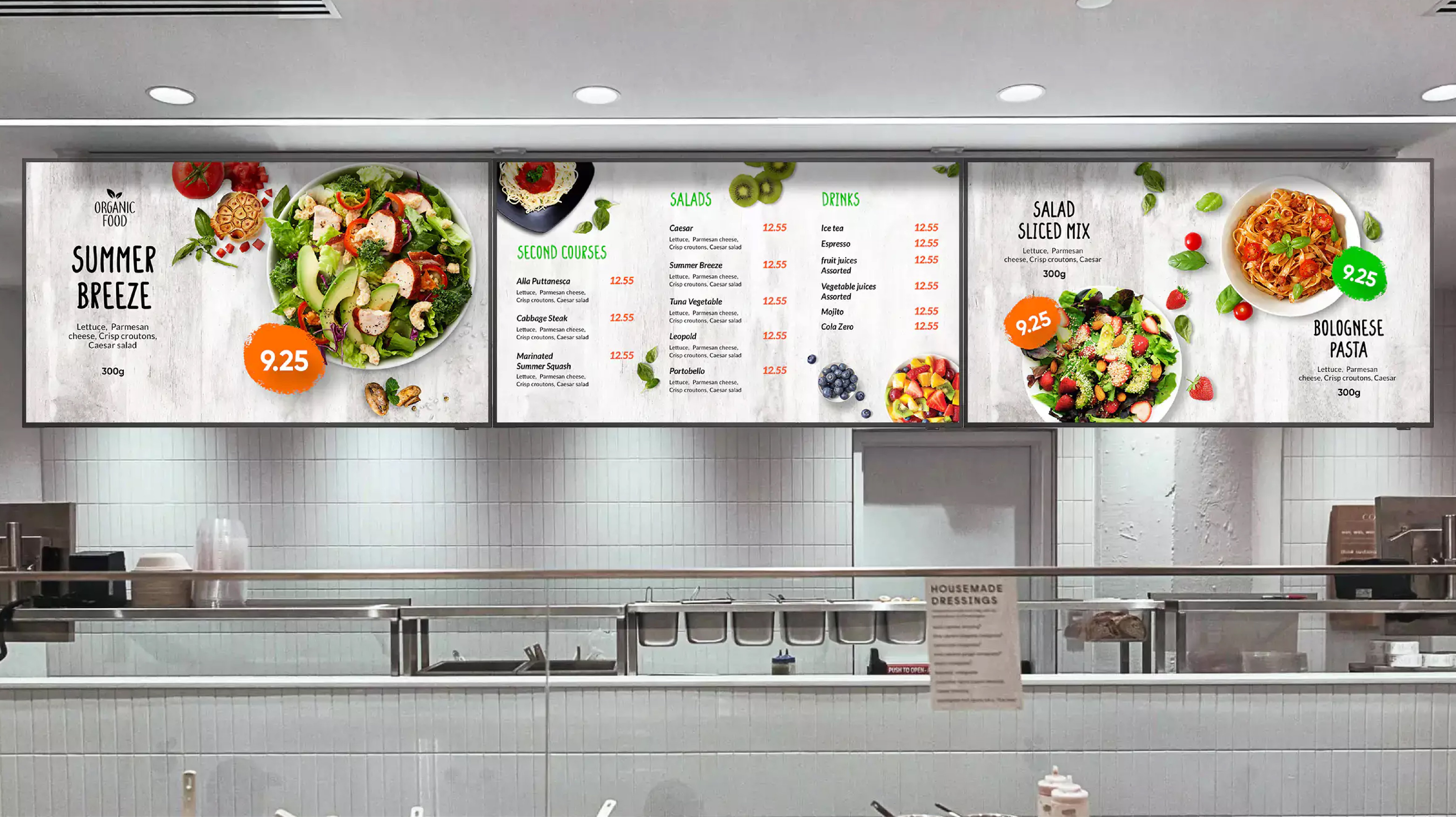
A menu board is a screen (TV or monitor) that displays menu items in a fixed location, typically placed in a prominent area within the restaurant.
Key Characteristics
- Visible to everyone in the space
- Requires screens, mounts, and power
- Limited space for content
- Best for counter service and quick decisions
Menu boards are common in quick-service restaurants, takeaways, and food courts where speed is critical.
QR Menu vs Menu Board: Core Differences
| Feature | QR Menu | Menu Board |
|---|---|---|
| Where it’s viewed | Customer’s phone | Wall-mounted screen |
| Hardware needed | None | Screens + mounts |
| Update speed | Instant | Instant |
| Menu size | Unlimited | Limited by screen |
| Best for | Table service | Counter service |
| Accessibility | Depends on phone | Always visible |
This comparison highlights that QR menu vs. menu board is less about technology and more about context and the unique needs of each dining environment.
Customer Experience Comparison
QR Menu Experience
Strengths
- Private, personal browsing experience without distractions.
- Easy to explore large menus and find detailed information about dishes.
- Clear prices and descriptions enhance customer understanding.
- Works well for seated dining, allowing guests to take their time.
Weaknesses
- Requires a smartphone, which not all customers may have.
- Depends on internet connectivity for full functionality.
- Some guests prefer not to use phones at the table during meals.
Menu Board Experience
Strengths
- No phone required, making it accessible to everyone.
- Instant visibility in a shared space helps manage high traffic.
- Great for fast decisions, especially in bustling environments.
- Simple layouts facilitate quick scanning of options.
Weaknesses
- Can feel rushed as customers make decisions under pressure.
- Hard to show detailed descriptions or allergen information comprehensively.
- Not ideal for large menus, as they may overwhelm the viewer.
From a customer perspective, neither option categorically wins—their effectiveness serves different needs based on restaurant style.
Operational Comparison
Setup & Cost
QR Menus
- Low setup cost, particularly appealing for startups.
- No screens or wiring required, making it simple to implement.
- Minimal ongoing expense allows flexibility in budget allocation.
Menu Boards
- Higher upfront cost, including screens and installation expenses.
- Maintenance and replacement costs can add up over time.
- Requires more planning to ensure an effective layout and technology integration.
For small restaurants, QR menus are often more accessible financially, making them a viable option to enhance service without breaking the bank.
Menu Updates and Flexibility
Both options support instant updates, but they offer different degrees of flexibility.
QR Menus
- Ideal for frequent changes, accommodating seasonal ingredients or daily specials.
- Easy to remove sold-out items from the digital interface instantly.
- Perfect for menus that evolve, whether for events or customer preferences.
Menu Boards
- Best for stable, short menus where items remain consistent.
- Limited space means fewer changes, often requiring careful selection of displayed offerings.
- Crowded boards reduce readability, which can frustrate customers.
This is where many QR menu alternatives shine, offering options that allow for better customer experiences in complex environments.
Staff Workflow Impact
QR Menus
- Reduce menu explanations and questions from staff, allowing greater efficiency.
- Fewer interruptions during service lead to a smoother dining experience.
- Customers arrive “order-ready,” often reducing wait times.
Menu Boards
- Speed up ordering at the counter, enhancing throughput during peak times.
- Reduce “what do you have?” questions by providing visible options.
- Keep lines moving, essential for busy quick-service establishments.
Both systems improve efficiency—but in different service models, tailoring to the demands of their respective environments.
Which Works Better by Restaurant Type?
QR Menus Work Best For
- Table-service restaurants that prioritize customer experience.
- Cafés and bars that offer extensive drink options.
- Restaurants with large menus that require dynamic presentation.
- Frequent price or item changes that necessitate adaptability.
- Limited staff teams needing to streamline operations effectively.
Menu Boards Work Best For
- Quick-service restaurants where speed is of the essence.
- Takeaway and fast-casual environments that lean on rapid service.
- Food trucks (with limited items) maximizing space and visibility.
- High-volume counter ordering scenarios where every second counts.
Understanding your service style directly answers most of the QR menu vs menu board debate.
Digital Menu Board Comparison: Limitations to Consider
Menu boards look modern, but they have inherent constraints:
- Limited content space restricts what can be communicated.
- Hard to show allergens or detailed item descriptions effectively.
- Lack of personalization can diminish customer engagement.
- More expensive to scale across multiple locations effectively.
That’s why many restaurants explore menu board alternatives instead of relying on boards alone—especially in complex environments where context is crucial.
Using Both: The Hybrid Approach
Many restaurants combine both tools to maximize customer satisfaction.
Hybrid Setup Example
- Menu board highlights daily specials and pricing for quick visibility.
- QR menu details full offerings, providing in-depth descriptions.
This approach:
- Reduces crowding at the counter, especially during peak dining hours.
- Supports accessibility, catering to a wider range of customer preferences.
- Gives customers the choice between quick-reference and detailed browsing options.
Hybrid setups often outperform either option alone, providing a seamless experience. This aligns well with strategies discussed in articles about how QR menus speed up table turnover and reduce wait times overall.
Accessibility Considerations
When implementing these digital solutions, consider:
- QR menus require backups, such as printed menus, to cater to all customers.
- Menu boards must use readable fonts and good contrast to ensure legibility.
Accessibility planning matters regardless of which option you choose to ensure no guest is left behind in your dining experience.
Common Mistakes When Choosing Between Them
To make the best decision, avoid these pitfalls:
- Using menu boards for very large menus that overwhelm customers.
- Forcing QR menus on guests with no alternatives for those less tech-savvy.
- Overloading menu boards with text leading to confusion and frustration.
- Ignoring customer flow and behavior patterns while designing the ordering system.
Technology fails when context is ignored, and understanding your audience is key to digital menu success.
FAQs About QR Menus vs Menu Boards
- Is a QR menu better than a menu board? It depends on your service style and menu size, as each has unique strengths.
- Are menu boards outdated? No—but they’re best for simple, fast ordering where quick visibility is essential.
- Can QR menus replace menu boards? Sometimes, but many restaurants successfully use both for diverse offerings.
- Which is cheaper long-term? QR menus usually cost less overall, making them a preferable choice for budget-conscious establishments.
- Do customers prefer one over the other? Preferences vary by setting and expectation, often influenced by the dining experience.
- Are QR menus good menu board alternatives? Yes—especially for large or frequently changing menus, providing flexibility and accessibility.
Conclusion: The Best Choice Depends on How You Serve
The QR menu vs menu board decision isn’t about trends—it’s about fit. QR menus excel at flexibility, detail, and low cost while menu boards are better suited for speed, visibility, and simplicity.
In many cases, the smartest answer isn’t choosing one—it’s combining both. When restaurants match the tool to the task, digital menus stop being a debate and start becoming an advantage, enhancing both guest satisfaction and operational efficiency. To explore more about executing these digital solutions, check out our article on how restaurants can launch a digital menu in one day.