How to Print and Display QR Codes on Tables
Introduction: Why Table QR Codes Matter
QR menus only work when customers notice them, trust them, and can scan them easily. Many restaurants invest time creating digital menus—but lose the benefit because QR codes are poorly printed or badly placed.
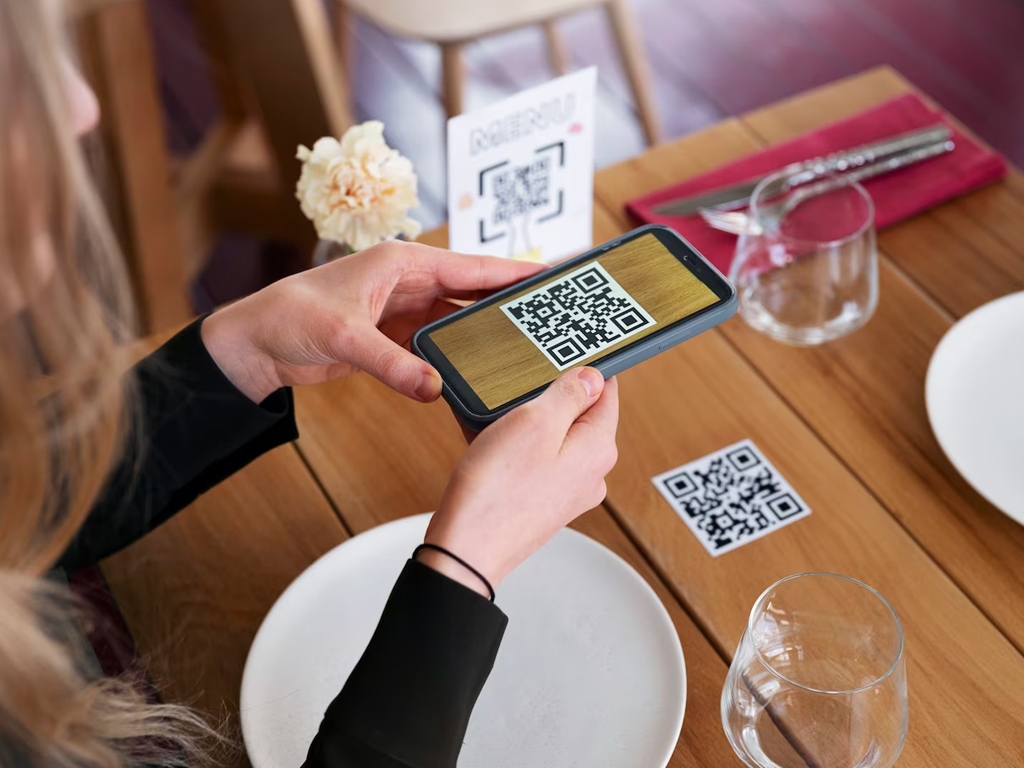
Using a well-designed qr code table tent is one of the simplest and most effective ways to encourage customers to scan. When done right, a table qr code menu speeds up ordering, reduces questions, and improves the overall dining experience—especially when restaurants understand what a QR menu actually is and how customers interact with it.
This guide walks you through exactly how to print, display, and maintain QR codes on tables so they work reliably every day.
What Is a QR Code Table Tent?
A qr code table tent is a small, upright display placed on a restaurant table that features a QR code customers can scan to view the menu. It usually includes:
- A visible QR code
- A short instruction (e.g., “Scan to View Menu”)
- Optional branding or logo
Table tents are popular because they’re:
- Easy to spot
- Portable
- Low-cost
- Effective in busy dining rooms
Step 1: Generate the Right QR Code
Before printing anything, make sure your QR code is ready.
Best Practices
- Link to a mobile-optimized menu
- Use a permanent (non-expiring) QR code
- Test the code on multiple phones
Your table qr code menu should open instantly without requiring an app download. If you’re still setting things up, this guide on how to create a QR code menu covers the full process step by step.
Step 2: Choose the Right Size for Table QR Codes
Size matters when it comes to scan reliability.
Recommended Sizes
- Minimum QR code size: 3 × 3 cm (1.2 × 1.2 inches)
- Ideal table tent size: A6 or 4 × 6 inches
Small QR codes often fail, especially in low lighting or when tables are crowded. Ensuring the right size can significantly enhance the scanning experience.
Step 3: Use High Contrast for Easy Scanning
Poor contrast is one of the most common mistakes.
Do This
- Dark QR code on a light background
- Black on white works best
- Avoid patterns or textures behind the code
Good contrast ensures your qr code table tent scans quickly, even in dim restaurants. This aspect is crucial, as studies show that simple design choices can increase the frequency of menu scans.
Step 4: Add Clear Scanning Instructions
Never assume everyone knows what to do.
Simple Instruction Examples
- “Scan to View Menu”
- “Open Camera & Scan for Menu”
- “Scan QR Code for Menu”
Clear text increases scan rates and reduces hesitation—especially for first-time users. This crucial detail can enhance the customer experience and streamline operations during busy hours.
Step 5: Select the Right Material for Printing
Your table tents should survive spills, cleaning, and daily use.
Best Material Options
- Laminated cardstock (budget-friendly)
- Plastic table tents (durable and washable)
- Acrylic holders (professional look)
Avoid thin paper—it bends, stains, and looks unprofessional quickly. Investing in quality materials can provide a better long-term solution.
Step 6: Decide Where to Place QR Codes on Tables
Placement affects visibility and usage.
Best Placement Tips
- Center of the table
- Near the edge facing the guest
- Avoid blocking plates or glasses
- Keep it upright, not flat
A visible table qr code menu should be noticed within seconds of sitting down. This placement advice is also covered in more depth in the contactless QR code menus: why restaurants still use them.
Step 7: Brand Your QR Code Table Tent (Optional but Smart)
Branding builds trust and professionalism.
What to Include
- Restaurant logo
- Brand colors
- Consistent font
Customers are more likely to scan a QR code that clearly belongs to the restaurant—especially when they feel confident the menu is legitimate and secure. If that’s a concern, it’s worth understanding whether QR menus are safe and secure.
Step 8: Test in Real Dining Conditions
Before rolling out across all tables:
- Test scanning in low light
- Test with older phone cameras
- Test from different angles
- Test during busy service
This ensures your qr code table tent works in real-world conditions—not just on your desk. A thorough testing phase can even reveal how to improve table turnover.
Common Mistakes to Avoid
Avoid these frequent errors:
- QR codes that are too small
- Low-contrast designs
- No instructions
- Codes placed flat on tables
- Expired or broken links
These mistakes reduce scans and frustrate customers. Remember: a proactive approach can help prevent issues that might lead to negative experiences.
Table QR Code Menu vs Other QR Placements
| Placement Type | Visibility | Scan Ease | Best Use Case |
|---|---|---|---|
| Table Tent | High | Very easy | Dine-in tables |
| Wall Sign | Medium | Easy | Entry or waiting area |
| Sticker | Low | Medium | Counters or packaging |
| Menu Cover | Medium | Easy | Hybrid menus |
For dine-in service, qr code table tents remain the most effective option. They combine visibility and ease of use, making them the preferred choice for many establishments.
Accessibility and Backup Options
Not all guests want to use QR codes.
Best practice:
- Keep a few printed menus available
- Train staff to assist when needed
QR codes should be an option—not a barrier. Offering a choice between QR code menus and traditional printed menus ensures inclusivity for all customers.
FAQs About Printing and Displaying QR Codes
- What is the best size for a qr code table tent? At least 3 × 3 cm for the QR code itself, larger for the full tent.
- Should QR codes be laminated? Yes. Lamination improves durability and hygiene.
- Can I use color QR codes? Yes, but maintain strong contrast for reliable scanning.
- Where should table QR codes be placed? In the center or front-facing edge of the table.
- Do QR codes need instructions? Yes. Simple instructions increase usage significantly.
- How often should QR table tents be checked? Weekly, or anytime the menu link changes.
Conclusion: Small Details Make QR Menus Work
A QR menu is only as effective as its presentation. By printing high-quality qr code table tents, using clear instructions, and placing them thoughtfully, restaurants can dramatically improve scan rates and customer satisfaction.
When done right, a table qr code menu feels effortless for guests and efficient for staff. It’s a small investment that delivers big results—when the details are done correctly. Furthermore, understanding how QR menus help prevent menu errors can also enhance the overall dining experience. With the right tools and strategies, restaurants can harness the full potential of digital menus, simplifying the ordering process while delighting their guests.
Whether you’re considering QR menus for bars or looking to streamline your dining service, applying these insights will help bring your restaurant into the digital age with confidence.