How to Create a QR Code Menu in 5 Minutes
Introduction: Why QR Code Menus Matter Today
If you’re wondering how to create a qr code menu quickly and without technical skills, you’re not alone. Restaurants, cafés, and food trucks worldwide are switching to digital menus to save time, reduce costs, and improve customer convenience.
A QR-based menu allows customers to scan a code and view your menu instantly on their smartphones. If you’re new to the concept, understanding what a QR code menu is can help clarify why this approach has become so popular. With the help of a qr menu maker or qr menu creator, the entire setup can be done in minutes—no apps, no complex software, and no design experience required.
This guide walks you through how to create a qr code menu in just 5 minutes, step by step, using simple and practical methods.
What You Need Before You Start
Before creating your QR menu, make sure you have the following ready:
- A smartphone or computer
- Your restaurant menu content (items, prices, descriptions)
- Internet access
- A qr code menu generator or menu platform
Having these prepared ensures the process is fast and smooth. Many restaurants also follow a complete QR menu setup checklist to avoid missing any important details before launch.
Step-by-Step Guide: How to Create a QR Code Menu in 5 Minutes
Step 1: Choose a QR Menu Maker (1 Minute)
Start by selecting a qr menu maker or qr menu creator. Many online platforms allow you to create digital menus for free or at low cost. These tools are designed for beginners and usually include templates.
What to look for in a tool:
- Mobile-friendly design
- Easy editing options
- Fast QR code generation
- No app required for customers
This is the foundation of how to create a qr code menu efficiently.
Step 2: Upload or Enter Your Menu (2 Minutes)
Once you’ve chosen your platform, enter your menu details. Most qr menu creators let you:
- Add categories (Starters, Main Course, Drinks)
- Enter item names and prices
- Add short descriptions
- Upload food images (optional)
Keep the layout clean and readable. A well-organized menu improves customer experience.
Step 3: Generate the QR Code (1 Minute)
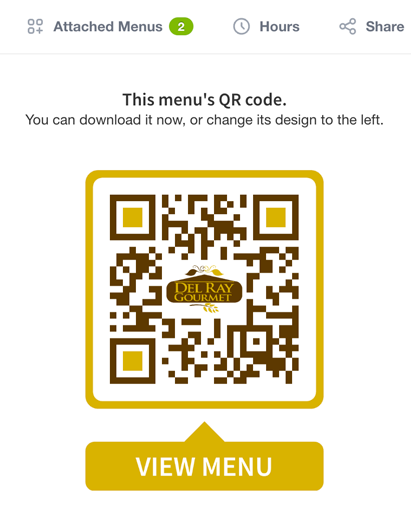
After your menu is ready, the platform will create a QR code automatically. This code links directly to your digital menu.
A qr code menu generator ensures:
- Instant access via smartphone camera
- No downloads required
- Compatibility with Android and iOS
This step is the core of how to create a qr code menu.
Step 4: Test the QR Code (30 Seconds)
Before printing or sharing, always test your QR code:
- Scan it using different phones
- Check loading speed
- Review text clarity and images
Testing avoids customer frustration and ensures everything works smoothly.
Step 5: Print and Display the QR Code (30 Seconds)
Finally, place your QR code where customers can easily scan it:
- On tables
- At the counter
- On walls or stands
- On takeaway packaging
That’s it—you’ve completed how to create a qr code menu in just 5 minutes.
Best Practices for an Effective QR Code Menu
To get the most out of your digital menu, follow these tips:
- Use large, high-contrast QR codes
- Add a short instruction like “Scan to View Menu”
- Optimize text for small screens
- Keep updates frequent and accurate
- Always offer a printed menu as backup
These practices help your qr menu maker deliver the best results.
Common Mistakes to Avoid
When learning how to create a qr code menu, avoid these errors:
- Using low-quality QR images
- Overloading the menu with text
- Slow-loading pages
- Poor internet connectivity
- Not testing before use
Fixing these issues improves usability and customer satisfaction.
FAQs About Creating a QR Code Menu
1. How to create a qr code menu for free? You can use a free qr menu maker that allows basic menu creation and QR code generation.
2. Do customers need an app to use a QR menu? No. Most QR codes open directly in a web browser.
3. Can I update my menu after creating the QR code? Yes. With a qr menu creator, updates happen instantly without changing the QR code.
4. Is a qr code menu safe? Yes. As long as you use a trusted platform, QR menus are safe and secure for both restaurants and customers.
5. Can small restaurants use QR menus? Absolutely. QR menus are ideal for small cafés, food trucks, and pop-up restaurants.
6. What devices support QR menus? Most modern smartphones support QR scanning through the camera.
Conclusion: Create Your QR Code Menu Today
Learning how to create a qr code menu doesn’t require technical knowledge or expensive tools. With the right qr menu maker or qr code menu generator, you can set up a professional digital menu in just 5 minutes.
QR menus are fast, flexible, and customer-friendly—making them a smart choice for modern restaurants looking to stay efficient and competitive.