Seasonal Menus: How to Update Them in Minutes
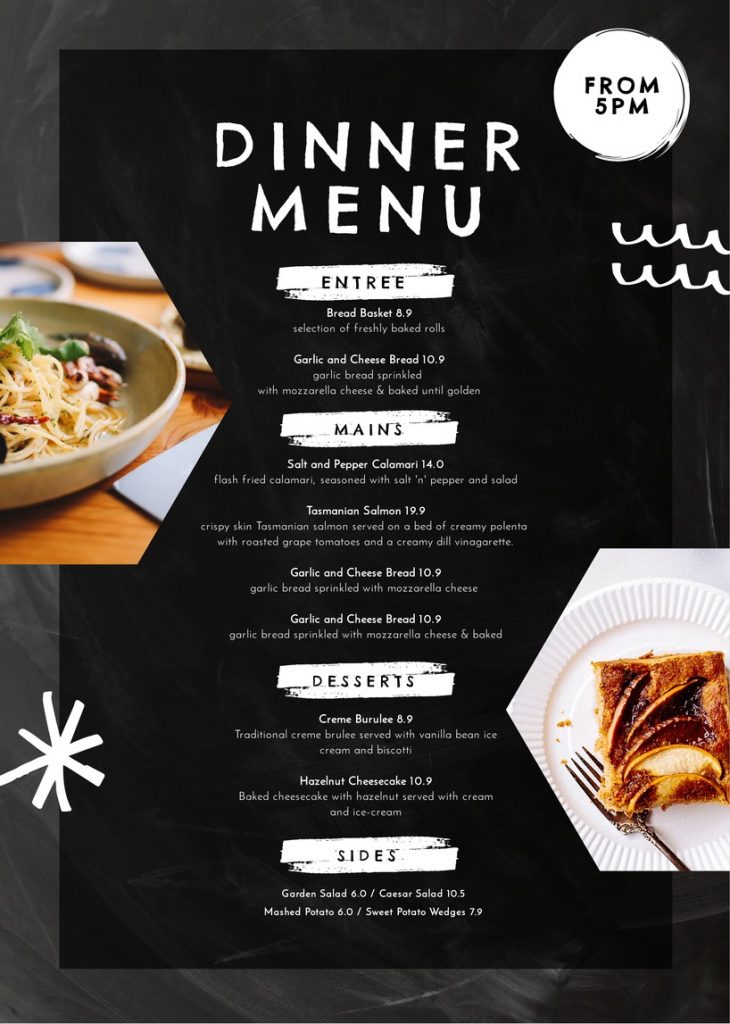
Introduction: Why Seasonal Menus Matter for Restaurants
Seasonal menus help restaurants stay fresh, relevant, and exciting. By highlighting ingredients that are in season or offering limited-time dishes, restaurants can attract repeat customers and increase sales. However, frequent menu changes used to mean high printing costs and slow updates.
Today, restaurants can manage a seasonal restaurant menu in minutes instead of days. With the right tools and approach, temporary menu updates are fast, affordable, and easy to control—especially when restaurants understand what a QR menu is and how digital menus replace printed ones.
This article explains how restaurants update seasonal menus quickly, why digital tools are essential, and best practices to keep customers informed without disruption.
What Is a Seasonal Restaurant Menu?
A seasonal restaurant menu is a menu that changes based on:
- Time of year (spring, summer, fall, winter)
- Ingredient availability
- Holidays or special events
- Limited-time promotions
These menus are often temporary, running for weeks or months before changing again.
The Challenges of Seasonal Menus
Traditional seasonal menus come with challenges:
- High reprinting costs
- Slow turnaround times
- Confusion when old menus remain in use
- Waste from unused printed menus
For restaurants that rely on temporary menu updates, these issues quickly add up.
How Restaurants Update Seasonal Menus in Minutes
1. Use Digital Menus Instead of Printed Ones
The fastest way to manage a seasonal restaurant menu is through digital menus.
Why digital works:
- Changes appear instantly
- No printing required
- Old menus disappear immediately
This makes seasonal updates quick and accurate.
2. Centralize Menu Management
Restaurants that update menus in minutes usually manage everything from one place.
Centralized updates allow you to:
- Change prices
- Add or remove seasonal items
- Update descriptions and photos
This approach keeps temporary menu updates consistent across all platforms, including tablets, phones, and kiosks—especially when restaurants know how to update menus across multiple devices instantly.
3. Use QR Code Menus for Instant Changes
QR menus link customers directly to your digital menu. When you update the menu online, customers see the new seasonal items immediately after scanning.
Many restaurants begin by learning how to create a QR code menu, making this one of the most efficient ways to manage a seasonal restaurant menu without delays.
4. Schedule Seasonal Changes in Advance
Many digital menu tools allow you to prepare updates ahead of time.
Benefits of scheduling:
- Smooth menu transitions
- No rush during service hours
- Fewer mistakes
This makes temporary menu updates stress-free.
Types of Seasonal Menu Updates Restaurants Make
Restaurants commonly update:
- Seasonal ingredients
- Limited-time drinks
- Holiday specials
- Weather-based dishes
- Regional or local features
With digital menus, these changes can be made in minutes.
Best Practices for Seasonal Menu Updates
To manage a seasonal restaurant menu smoothly, follow these tips:
- Clearly label seasonal items
- Highlight limited-time availability
- Remove expired items immediately
- Update photos and descriptions together
- Train staff on new items
Many restaurants rely on a complete QR menu setup checklist to ensure seasonal updates are accurate, consistent, and error-free.
Common Mistakes to Avoid
Avoid these errors when handling temporary menu updates:
- Leaving old seasonal items visible
- Forgetting to update prices
- Changing menus mid-service without testing
- Not informing staff
Even small mistakes can lead to customer frustration.
Seasonal Menu Updates vs Printed Menus
| Feature | Digital Seasonal Menu | Printed Seasonal Menu |
|---|---|---|
| Update Speed | Minutes | Days |
| Cost | Low | High |
| Accuracy | High | Risk of errors |
| Waste | Minimal | High |
| Flexibility | Very high | Very limited |
This comparison shows why digital solutions are ideal for seasonal menus.
How Often Should Seasonal Menus Be Updated?
Most restaurants update seasonal menus:
- 3–4 times per year
- Monthly for specials
- Weekly for rotating items
Digital tools make frequent temporary menu updates easy and manageable.
FAQs About Seasonal Restaurant Menus
1. What is a seasonal restaurant menu? A menu that changes based on seasons, ingredients, or limited-time offerings.
2. How fast can seasonal menus be updated digitally? Most updates take just a few minutes.
3. Do seasonal menus require reprinting? No, digital menus eliminate printing entirely.
4. Can small restaurants use seasonal menus? Yes. Seasonal menus work for restaurants of all sizes.
5. Do customers like seasonal menu changes? Yes. Seasonal items create excitement and encourage repeat visits.
6. Should restaurants keep non-seasonal items too? Most do, combining core items with seasonal additions.
Conclusion: Seasonal Menus Made Simple
Managing a seasonal restaurant menu no longer has to be complicated or expensive. With digital tools and smart planning, restaurants can handle temporary menu updates in minutes—without reprinting, waste, or confusion.
Seasonal menus help restaurants stay creative and competitive. When updates are fast and accurate, both staff and customers benefit. In today’s restaurant industry, flexibility is key—and digital seasonal menus deliver exactly that.