Reducing Staff Load With Digital Menus
Introduction: Why Staff Workload Is a Growing Restaurant Problem
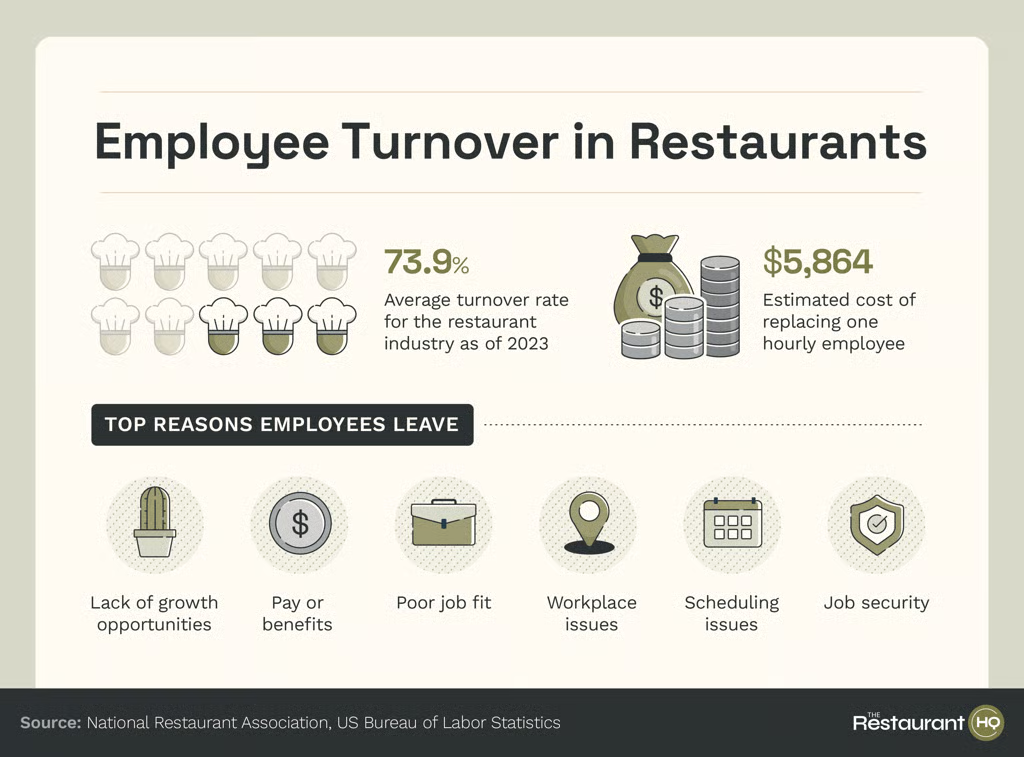
Restaurants everywhere face a mounting challenge: doing more with fewer people. Labor shortages, rising costs, and high customer expectations place enormous pressure on front-of-house and kitchen teams. When staff are overloaded, service slows down, mistakes increase, and burnout becomes unavoidable.
That’s why many operators are looking for effective ways to reduce restaurant staff workload without sacrificing hospitality. One of the most efficient—and often overlooked—solutions is the digital menu. Once you understand what a QR menu is and how it works in practice, it becomes clear why digital menus have become core restaurant efficiency tools. They quietly remove repetitive tasks that drain staff time and energy, leading to smoother operations.
This article explains how digital menus significantly reduce staff workload, highlights the biggest gains, and offers strategies for effective implementation in your restaurant.
What Does “Staff Workload” Really Mean in Restaurants?
Staff workload isn’t just about how busy a shift feels. It encompasses various tasks including:
- Repeating the same menu explanations
- Answering basic questions about prices or ingredients
- Fixing order mistakes
- Running back and forth for menus
- Managing outdated or incorrect information
Digital menus target these friction points directly—especially when set up using a structured process like a complete QR menu setup checklist for restaurants.
How Digital Menus Reduce Restaurant Staff Workload
1. Eliminating Menu Distribution
Printed menus require staff to perform several tasks, including:
- Handing them out
- Collecting them
- Cleaning or replacing them
Digital menus eliminate this task entirely. Guests access menus themselves through their smartphones, freeing up staff to focus on providing excellent service. This simple change helps reduce restaurant staff workload from the moment guests sit down—particularly when restaurants know how to create a QR code menu that opens instantly.
2. Fewer Repetitive Questions
A significant portion of staff time is spent answering the same predictable questions:
- “What comes with this?”
- “How much is that?”
- “What drinks do you have?”
Digital menus display this information clearly and consistently. As a result, staff interruptions drop significantly—one of the biggest benefits of digital menus as essential restaurant efficiency tools.
3. Clear Customization Options Reduce Back-and-Forth
When options like sizes, add-ons, or substitutions are shown upfront on digital menus, several benefits follow:
- Guests decide faster
- Orders are clearer
- Staff don’t need to clarify multiple times
This clarity reduces the mental load on staff and keeps service flowing smoothly.
4. Fewer Order Errors = Less Stress
Order mistakes create extra work for staff, including:
- Re-entering orders
- Remaking dishes
- Handling customer complaints
Digital menus help reduce errors by:
- Showing accurate, up-to-date items
- Clearly listing options
- Preventing misunderstandings
With less error recovery needed, both servers and kitchen staff experience a lighter workload.
5. Faster Ordering During Busy Periods
During peak hours, staff are often stretched thin. Digital menus assist by:
- Letting guests browse while waiting
- Making customers “order-ready” sooner
- Reducing bottlenecks at the front of the house
Even when staff still take orders manually, having digital menus helps speed up the process—this is essential for reducing restaurant staff workload when it matters most.
6. Easier Menu Updates Mean Fewer Staff Headaches
Outdated menus create confusion for both guests and staff. Digital menus allow:
- Instant price updates
- Quick removal of sold-out items
- Immediate changes across all digital platforms
With these features, staff no longer have to explain why something on the menu isn’t available—this is another quiet yet powerful efficiency gain. Additionally, these instant updates support sustainability efforts, which is why many restaurants pair workload reduction with strategies like how QR menus help prevent menu errors.
7. Visual Upselling Without Verbal Pressure
Upselling can be exhausting for staff, especially during busy shifts. Digital menus facilitate upselling visually:
- Through clear presentations of add-ons
- Highlighting upgrades
- Listing combos
Staff don’t need to verbalize these extras, thus, reducing stress and still leading to increased revenue.
8. Optional Digital Ordering and Payment
In some setups, digital menus also allow:
- Table-side ordering
- QR-based payments
These options further reduce essential staff tasks like:
- Taking payments
- Running cards
- Printing bills
While these features are optional, they amplify the overall workload reduction and enhance service.
Digital Menus as Restaurant Efficiency Tools
Digital menus do not aim to replace staff—they are designed to support them.
Efficiency Gains Include:
- Fewer interruptions
- Clearer communication
- Faster service flow
- Reduced cognitive load
When paired with good training and an effective layout, digital menus become some of the most effective restaurant efficiency tools available today.
Which Restaurants Benefit Most?
Digital menus are particularly advantageous for:
- High-volume restaurants
- Cafés and casual dining venues
- Bars and pubs
- Tourist-area restaurants
- Short-staffed teams
Any operation struggling to reduce restaurant staff workload can significantly benefit from implementing digital solutions.
Best Practices for Using Digital Menus to Reduce Workload
To maximize the impact of digital menus, consider the following best practices:
- Keep menus simple and easily readable.
- Place QR codes where guests can see and access them immediately.
- Ensure fast loading and a mobile-friendly design every time.
- Train staff to provide concise guidance to guests navigating the menu.
- Always offer a printed menu as a backup for accessibility and personal preference.
Poor implementation can negate efficiency gains!
Common Mistakes That Increase Workload Instead
To avoid setbacks, be mindful of these common pitfalls:
- Slow-loading menus frustrate users.
- Confusing layouts lead to guest misunderstandings.
- Outdated information creates dissatisfaction.
- Forcing digital menus without providing alternatives can alienate some guests.
These mistakes only serve to frustrate guests—and employees end up fixing preventable issues.
FAQs About Reducing Staff Load With Digital Menus
- How do digital menus reduce restaurant staff workload? They eliminate repetitive tasks, such as menu explanations and corrections.
- Do digital menus replace servers? No, they are designed to support staff, not to replace them.
- Can digital menus help during peak hours? Yes, the workload reduction is especially noticeable during busy periods.
- Are digital menus expensive? They are often more cost-effective than ongoing printing and error costs.
- Do staff appreciate working with digital menus? Most do, as they reduce stress and interruptions.
- Should restaurants still keep printed menus? Yes, they are important for accessibility and cater to guest preferences.
Conclusion: Lighter Workloads, Better Service
Restaurants don’t necessarily need more staff—they need smarter systems. Digital menus represent one of the simplest yet most effective ways to reduce restaurant staff workload while simultaneously improving service speed and accuracy.
As practical restaurant efficiency tools, digital menus empower teams to focus on what truly matters: hospitality, food quality, and the overall guest experience. When staff are less overloaded, everyone wins—customers, employees, and the business itself.
Implementation of digital menus can be coupled with additional insights and strategies found in our articles like, how QR menus help prevent menu errors or QR menus for bars: faster service without staff overload.