QR Menu Alternatives: What Else Exists?
Introduction: Why Restaurants Look Beyond QR Menus
QR menus have surged in popularity in the past few years, providing a convenient way for customers to access restaurant menus with just a scan. However, they come with limitations. Some guests dislike scanning codes, others may experience frustration with weak internet connections, and some dining experiences call for a more engaging interaction. Consequently, many restaurant owners are now exploring QR menu alternatives that offer enhanced flexibility, speed, and a modern presentation—often without relying heavily on customer smartphones or requiring labor-intensive workflows.
The good news is that QR menus aren’t the only option. With a variety of digital menu alternatives available, restaurants can choose solutions that align better with their brand and customer preferences. This article breaks down common QR menu alternatives, how they work, and when each option is most suitable.
Why Restaurants Consider QR Menu Alternatives
Restaurants typically look for alternatives when they encounter specific challenges such as:
- Customers resisting QR codes for several reasons, including discomfort with technology or issues related to privacy.
- Accessibility concerns, particularly for older patrons or those with disabilities who may find smartphones impractical.
- Poor mobile connectivity that inhibits guests from easily accessing QR codes.
- Brand concepts that don’t align with a highly digital experience, where personal interaction might be prioritized.
- A desire for more visual impact, which certain methods of menu presentation can better fulfill.
Understanding your customer base is key when deciding between QR menu alternatives or choosing to maintain QR menus as part of a hybrid system. For example, while some patrons prefer the ease of using their phones, others may value the tactile experience of printed menus or tablets.
Top QR Menu Alternatives Restaurants Use
1. Tablet Menus at Tables
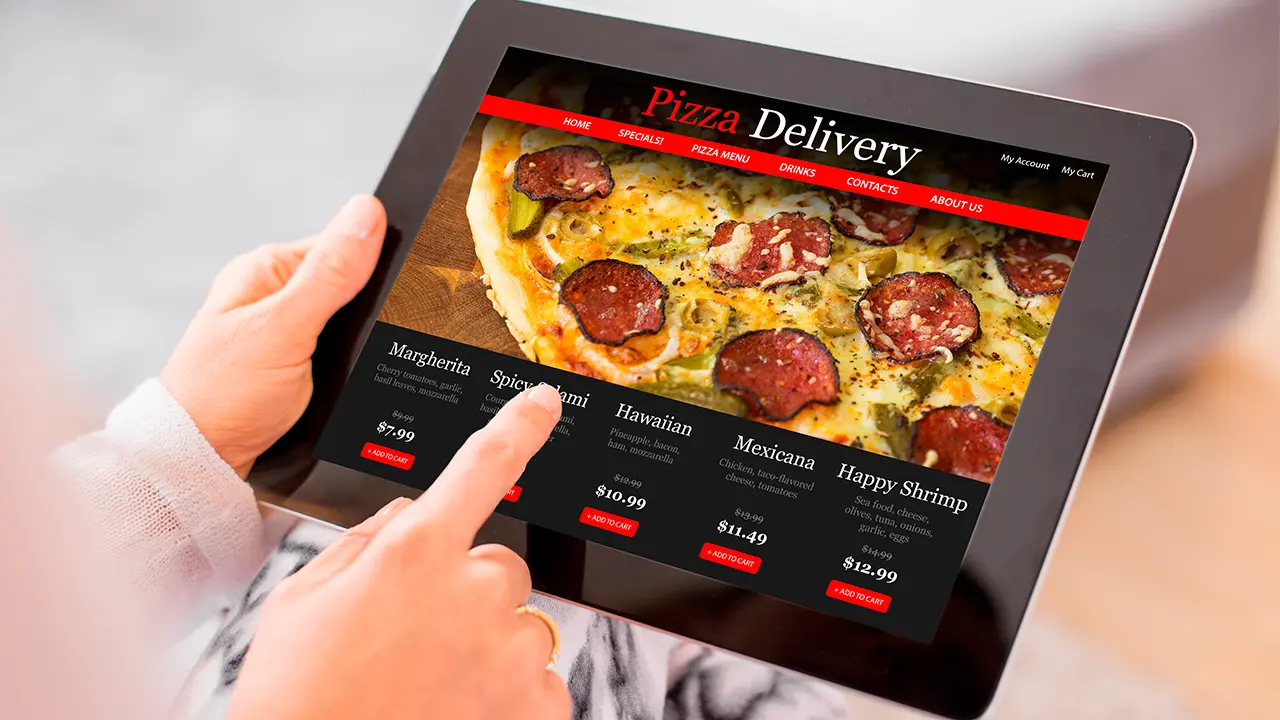
Tablets are one of the most direct digital menu alternatives, bridging the gap between digital convenience and physical interaction.
How They Work: A tablet is placed at each table or shared between tables. Customers can browse, order, and sometimes pay directly on the device.
Pros
- No customer phone required, enhancing accessibility for all guests.
- Large, clear display improving the menu's visual appeal.
- Interactive features can enhance the customer experience.
Cons
- Higher upfront hardware cost compared to traditional menus.
- Requires cleaning and maintenance, which may add to operational workloads.
Best for: Casual dining establishments, tech-forward restaurants, and venues that aim for a high level of visual engagement. For more on digital interaction ways to prevent errors, read how QR menus help prevent menu errors.
2. Digital Menu Boards
Digital screens mounted on walls or behind counters are becoming common in many establishments, notably quick-service restaurants.
How They Work: Menus are prominently displayed on screens that can be updated remotely, streamlined using the same backend systems restaurants utilize to manage multiple devices effectively.
Pros
- Easy to read from a distance, ensuring legibility for all customers.
- Ideal for prominently featuring promotions and combo deals.
- Requires no interaction, allowing for passive menu observation.
Cons
- Limited customer interaction means diners can’t browse at their own pace.
- Screens may limit details per display, necessitating condensed descriptions.
Best for: Fast food restaurants, cafés, food courts, and takeout-focused businesses. You might also want to check out the comparisons between menu boards and QR menus in QR menus vs. menu boards: which works better.
3. Website-Based Menus (No QR Required)
Some establishments completely bypass QR codes, allowing customers to access their menus through the restaurant's website.
How They Work: Menus are hosted on the restaurant website and can be accessed through:
- Search engines
- Bookmarks
- Short URLs that simplify access
Pros
- Familiar experience for customers who frequently use online menus.
- Easy to update, keeping the menu fresh and accurate.
- Compatible with all devices, reducing potential tech barriers.
Cons
- Customers may experience slower access than scanning a QR code.
- Requires patrons to type or search, which some may find cumbersome.
Best for: Restaurants with a strong online presence and repeat customers who might prefer direct links to the menu instead of QR codes. For more on QR code vs. printed menus, check printed menu cost, speed, and flexibility.
4. Printed Menus (Still Relevant)
Despite the rise of digital technology, printed menus continue to be one of the most commonly used alternatives, especially for accessibility reasons.
Pros
- No reliance on technology, making them accessible to everyone.
- Well-understood by all age groups, minimizing confusion.
- Always available—there's no need to wait for Wi-Fi or device compatibility.
Cons
- Associated printing and reprinting costs can add up, particularly for frequently updated menus.
- Hard to update quickly, especially if changes are made frequently.
- Limited flexibility compared to digital alternatives.
Best for: Fine dining and traditional restaurants that may prioritize a classic dining experience. For insights on the implications of menu changes, visit the biggest QR menu mistakes restaurants make.
5. Hybrid Menus (Digital + Print)
Hybrid menus present a blend of QR codes or digital displays with printed menus, addressing diverse customer preferences.
Why Hybrids Work:
- Customers are given the option to choose what works best for them, improving overall satisfaction.
- Accessibility is enhanced for those who may not feel comfortable with technology.
- Fewer complaints arise due to the personalized approach.
Many restaurants—especially smaller establishments—find that hybrid setups outperform single-solution approaches by accommodating a wider range of customer preferences. Additionally, these approaches can ease concerns about technology in dining experiences.
6. Server-Handled Digital Menus
In numerous dining venues, staff utilize handheld devices to present menus and take orders, blending service and technology.
How It Works: Staff show menu options on tablets or POS systems, explaining items while enhancing the customer experience.
Pros
- Personal service enhances the dining experience, creating a welcoming atmosphere.
- Accurate ordering minimizes the risk of errors, driving efficiency.
- No customer tech support is required, as staff manage the technology.
Cons
- Slower during peak times due to reliance on staff for interactions.
- Requires adequately trained personnel to ensure smooth operations.
Best for: Upscale dining venues or service-focused concepts where personal interaction is paramount. To increase your average order value using menus, read about how QR menus can increase order value.
7. Kiosk Ordering Systems
Self-service kiosks are gaining traction as powerful digital menu alternatives, providing customers with a direct ordering option.
Pros
- Facilitates fast ordering, minimizing wait times for guests.
- Built-in upselling features can significantly enhance sales.
- Reduces staff workload during peak hours, allowing for more efficient operations.
Cons
- High upfront cost can be a barrier for smaller establishments.
- Not suitable for all restaurant styles, especially where personal service is a priority.
Best for: Fast food outlets, high-volume locations, and food courts where efficiency is critical.
QR Menu Alternatives Comparison Table
| Menu Type | Customer Device Needed | Update Speed | Cost | Accessibility |
|---|---|---|---|---|
| QR Menu | Yes | Instant | Low | Medium |
| Tablet Menu | No | Fast | High | High |
| Digital Boards | No | Fast | Medium | Medium |
| Website Menu | Yes | Fast | Low | Medium |
| Printed Menu | No | Slow | Ongoing | High |
| Kiosks | No | Fast | High | Medium |
This table helps compare the advantages and disadvantages of various QR menu alternatives at a glance. Understanding these differences can assist you in selecting the best option for your establishment.
How to Choose the Right Digital Menu Alternative
When exploring menu alternatives, it’s crucial to ask the right questions:
- Who are my customers, and what are their preferences?
- Do they feel more comfortable using phones or physical menus?
- How often do menus change, and how quickly can I make these changes?
- What’s my budget, and what are the long-term cost implications?
- Is accessibility for all guests a priority in my dining environment?
The best digital menu alternatives align with your restaurant’s unique needs—not merely trends or assumptions about technology.
Common Mistakes When Replacing QR Menus
To ensure a seamless transition, avoid these common pitfalls:
- Removing QR menus without presenting an adequate alternative.
- Opting for technology that’s overly complex, leading to confusion.
- Ignoring the diverse accessibility needs of different customers.
- Failing to train staff adequately on any new system introduced.
Choose wisely; menu changes affect customer experience directly, and thoughtful planning is essential for success.
FAQs About QR Menu Alternatives
- Are QR menus the only digital option? No, there are many effective QR menu alternatives available.
- Do customers prefer non-QR menus? Some customers do, as preferences can vary widely based on demographics and setting.
- Are digital menu alternatives expensive? While some alternatives have higher upfront costs, many can save money long-term. Also, consider weighing the value proposition of various options like free vs paid QR menu tools in this comprehensive guide.
- Should restaurants completely remove QR menus? Not necessarily; many establishments find success with hybrid approaches, combining both digital and print options. Explore why some restaurants abandon QR menus to understand this better.
- What’s the most accessible alternative to QR menus? Printed menus and tablets tend to be the most user-friendly. For insights into launching a digital menu quickly, check out how restaurants can launch a digital menu in one day.
- Can restaurants mix multiple menu types? Yes. Many mixed solutions often yield the best results by catering to a diverse clientele.
Conclusion: More Than One Way to Go Digital
QR menus undoubtedly have their benefits, but they are just one of several effective solutions available today. Today's restaurants have an array of QR menu alternatives to choose from, each boasting its own strengths tailored to specific needs and concepts.
The smartest restaurants don’t chase fleeting trends; they adopt digital menu alternatives that truly resonate with their unique concept, customers, and operational styles. Whether it’s through tablets, prominent displays, printed menus, or a hybrid approach—success lies in embracing flexibility and thoughtful design in your menu presentation.